

Commercial Induction Cooktop Maintenance: 5 Tips to Extend Lifespan
05/11/2026
Estimated reading time: 2 minutes

Many people who run restaurants or manage commercial kitchens face the same problem: they need a model that works reliably, heats quickly, and doesn’t break down often—but once they buy one, they’re not sure how to keep it in good shape. You might have noticed small issues already, like slower heating than when you first got it, or even random shutdowns during busy hours. The good news is that most of these problems can be avoided with simple maintenance. This guide will walk you through exactly what you need to do, from cleaning the surface properly to knowing when to get repairs, so your cooktop stays useful for years.
IN THIS ARTICLE
- Why Do Commercial Induction Cooktops Need Maintenance?
- How to Properly Clean Commercial Induction Cooktops: Daily Care Guide
- How to Maintain Commercial Induction Cooktops with Proper Cookware
- After Cooking: Post-Use Safety Tips and Best Practices
- When Does an Induction Cooktop Need Repair? Key Signs to Watch For
Why Do Commercial Induction Cooktops Need Maintenance?
If you use one in a busy kitchen, you know it’s not like a home model—it might run 12 to 20 hours a day, with heavy pots being moved on and off it constantly. All that use adds up, and without a little care, small issues can turn into big, expensive problems. Let’s break down why maintenance matters, and what you’re actually protecting when you take time to care for it.
Counteracting Wear from High-Intensity Daily Use
Think about how often you or your staff lift a heavy stock pot onto the cooktop, or slide a wok to stir-fry—each time, that’s a little bit of wear on the ceramic glass surface. Over time, tiny scratches form, and while they might not look like much, they make the panel weaker. To minimize this wear, choosing cooktops with high-quality, scratch-resistant ceramic glass is key—models like the Ceramic Glass Drop-In Induction Cooktop 220V are engineered with durable panels that stand up to heavy commercial use, reducing the risk of cracks even with frequent pot movement.If someone accidentally drops a pot later, that scratch could turn into a crack. Then there’s the heat cycle: every time you turn the cooktop on and off, it goes from cold to hot and back again—sometimes 100 times a day. That constant expansion and contraction puts stress on internal parts, like the wires and coils, which can loosen or get tired faster if you don’t check them occasionally.


Preventing Performance Drops and Safety Risks from Dirt Buildup
Spills are inevitable in a commercial kitchen—sauce splatters, oil drips, even sugar from a dessert can end up on the cooktop. If you don’t clean these up right, they start to cause trouble. For example, grease can seep into the vents on the side or bottom of the cooktop. Those vents are there to keep internal parts like the IGBT power module cool—if they’re blocked, the module overheats, which is one of the top reasons it stops heating. Salty liquids, like broth, can even corrode the metal parts inside if they get in, leading to loose connections and more commercial induction cooktop problems down the line.
Key Things That Wear Out Your Cooktop (From Real Kitchen Use):
- Physical Impact: Heavy pots hitting the glass panel create small scratches—these don’t just look bad, they make the panel more likely to crack later. Replacing a glass panel can cost a lot, so avoiding scratches saves you money.
- Thermal Cycling: Frequent on-off cycles stress parts like the coil adhesive. If the adhesive wears out, the coil can move, which might cause uneven heating.
- Dirt in Vents: Even a thin layer of grease on the vents can make the fan work harder. Over time, this fan might wear out, leading to overheating and commercial induction cooktop troubleshooting headaches.
- Electrical Load: High-power models (like 5KW or 8KW ones) handle a lot of electricity. If connections get dirty or loose, they can’t carry power as well, making the cooktop less efficient.
Ensuring Safety and Controlling Operating Costs
Grease isn’t just messy—it’s also conductive, especially if the kitchen is humid. If grease gets onto the internal electrical parts, it could cause a short circuit. Even if that doesn’t happen right away, a cooktop that’s covered in dirt has to work harder to heat up. For example, a dirty glass panel acts like a barrier between the magnetic field and the pot—so the cooktop uses more electricity to reach the same temperature. Over a month, that extra energy adds up to higher bills.
How to Properly Clean Commercial Induction Cooktops: Daily Care Guide
how to clean commercial induction cooktop is the easiest way to keep it working well, but a lot of people do it the wrong way—like using a metal scraper that scratches the glass, or wiping it down while it’s still hot. Let’s go through the right steps, so you avoid those mistakes and keep the cooktop in good shape. These steps work for most models, including ones with smooth glass surfaces or control buttons.
Safety First: Pre-Cleaning Preparation
First things first—never clean a hot cooktop. I’ve seen someone spray cold water on a hot panel to speed up cleaning, and the glass cracked right away. The sudden temperature change is too much for the glass to handle. So always turn the cooktop off, unplug it if you can, and wait until the panel is cool enough to touch (around 50°C, or 122°F—you can test it with the back of your hand). Then grab your tools: a couple of soft microfiber cloths (they don’t scratch the glass), a plastic scraper (metal ones are a no-go), a cleaner made for induction cooktops (it’s gentle but cuts grease), and a small brush for getting dirt out of button gaps and vents.
Core Process: Detailed Panel Cleaning
Start with loose debris—wipe away any crumbs or dry food with a dry cloth. For the tough stuff, like burnt-on sauce, don’t scrub hard. Spray a little of the induction cleaner on the stain and let it sit for 1 or 2 minutes—this softens the gunk so you don’t have to force it. Then take the plastic scraper and hold it at a shallow angle (like 30 degrees) to gently lift the stain. If you hold it too steep, you might scratch the glass. Next, spray the whole panel with cleaner, wait 30 seconds to let it break down grease, and wipe in circles with a damp cloth. Finally, dry the panel completely—leftover water can leave mineral spots, which might affect how well heat transfers later.
| Cleaning Step | How to Do It (For Busy Kitchens) | How Often | Why It Matters |
|---|---|---|---|
| Cool the Panel | Wait until you can touch the glass comfortably—no rushing this | Before every cleaning | Prevents glass cracks from thermal shock |
| Wipe Loose Debris | Use a dry microfiber cloth to sweep away crumbs | After each use | Stops dry food from turning into hard stains later |
| Remove Tough Stains | Spray cleaner, wait 1-2 mins, scrape gently with plastic tool | As soon as a spill happens | Avoids scratching the glass while getting rid of gunk |
| Wipe Grease | Use damp cloth with cleaner, wipe in circles | End of each shift | Stops grease from getting into vents or under buttons |
| Clean Vents & Buttons | Use small brush to dust vents; wipe buttons with slightly damp cloth | Once a week | Keeps the cooktop cooling well and buttons working |
Peripheral Cleaning: Easy-to-Miss Details
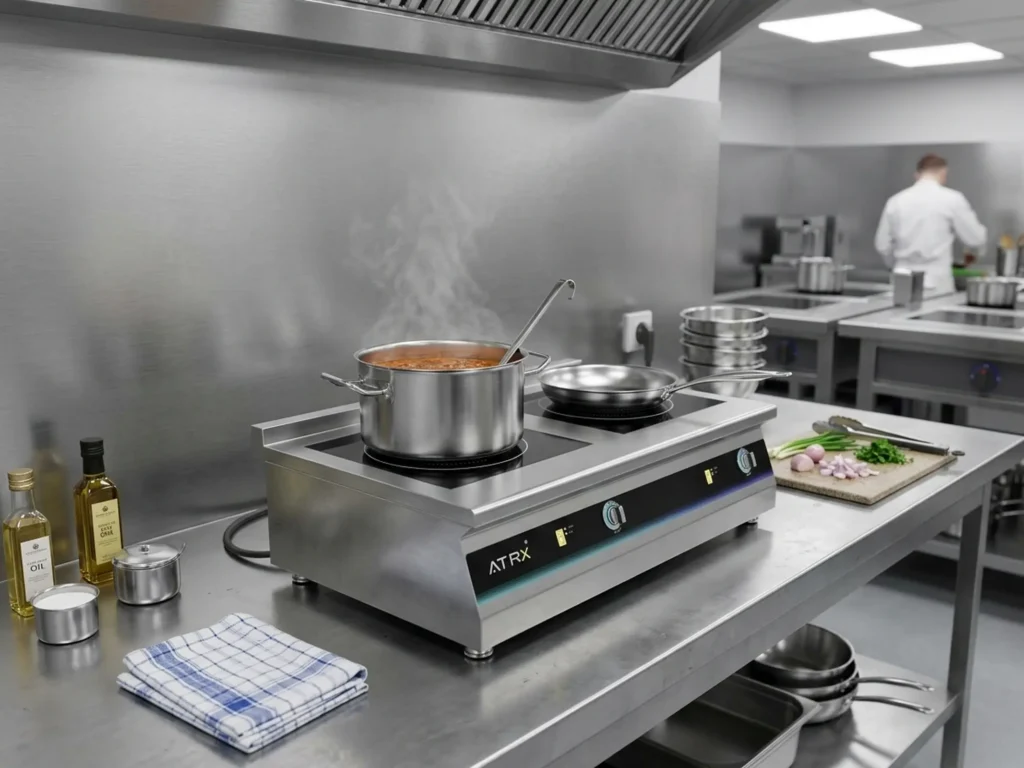
Don’t forget the parts around the panel. The control buttons can collect dirt in their gaps—if you let that build up, the buttons might stop responding. Just take the small brush and gently sweep around each button, then wipe with a slightly damp cloth (don’t use too much water, or it might seep inside). The vents on the sides or bottom are even more important—use the brush to clear out dust and grease here.This is especially critical for tabletop models like the Front-to-Back Two-Burner Induction Cooker, where side-mounted vents are prone to collecting grease from nearby cooking activities. If these vents are blocked, the cooktop can’t cool down, which leads to overheating and commercial induction cooktop not heating issues. I’ve seen kitchens where a quick vent cleaning fixed a cooktop that was shutting down randomly.

countertop induction two burner
How to Maintain Commercial Induction Cooktops with Proper Cookware
You might not realize it, but the pots and pans you use have a big impact on how long yours lasts. Using the wrong cookware can scratch the glass, make it work harder, or even trigger error codes. Let’s talk about what to look for when picking cookware, and how using the right stuff protects your cooktop.
Core Principle: Why Cookware Matters for Your Cooktop
Induction cooktops work by creating a magnetic field—this field needs a magnetic pot to heat up. If you use a pot that’s not magnetic, the cooktop can’t transfer heat, so it either doesn’t work or works extra hard to compensate. That extra work strains internal parts, like the power module. Also, if the pot’s bottom is warped (not flat), it only touches the glass in a few spots. This means heat doesn’t spread evenly, and the cooktop might overheat because it’s trying to make up for the gap. Over time, this can lead to more commercial induction cooktop problems, like uneven heating or even error codes.
What to Look for in the Best Cookware for Commercial Induction Cooktop
First, check if the cookware is magnetic—grab a small magnet and stick it to the bottom. If it sticks firmly, it’s good. Common magnetic materials are 430 stainless steel and cast iron—these work well with most induction cooktops. You’ll also see pans labeled “Induction Ready” on the bottom, which is a quick way to know they’re compatible. Next, make sure the bottom is flat. Lay a straight edge (like a ruler) across the bottom—if there are gaps, the pan is warped and not ideal. Size matters too: if you use a small pan on a large burner, the cooktop wastes energy and might trigger an error code. Most cooktops have a minimum size (like 12cm for small burners), so check the manual to match pan size to burner size.Pan size also ties to cooktop wattage.
For a closer look at how wattage, burner size, and pan compatibility work together across different models, see our commercial induction cooker overview—it breaks down specs side by side so you can match the right cookware to the right unit.
| Cookware Type | Works with Commercial Induction Cooktops? | Good For | Things to Watch For |
|---|---|---|---|
| 430 Stainless Steel | Yes | Daily use—stir-fries, soups, boiling water | Can scratch if you slide it across the glass; lift it instead |
| Cast Iron | Yes | High-heat cooking—searing steak, frying | Heavy, so set it down gently to avoid cracking the glass |
| Multi-Ply (Magnetic Core) | Yes | Precise heating—sauces, melting chocolate | More expensive, but heats evenly; don’t use abrasive cleaners on it |
| 304 Stainless Steel | Usually No | Not recommended for induction | Low magnetic power—might trigger E1 error codes (no pan detected) |
| Aluminum (No Magnetic Base) | No | Gas stoves only | Won’t heat up; the cooktop will cycle on and off trying to find a pot |
How to Use Cookware to Protect Your Cooktop
Even the best cookware for commercial induction cooktop use needs to be handled right. Always lift pans instead of sliding them—sliding is the main cause of scratches on the glass panel. Keep the bottom of the pan clean too: burnt-on food on the bottom acts like a buffer, so the cooktop has to work harder to heat the pan. If you notice a pan is warped (it rocks on the cooktop), stop using it—warped pans cause hot spots on the glass, which can lead to cracks. Storing cookware properly helps too—don’t stack heavy pans on top of each other, as that can warp the bottoms over time. A little care with your pots goes a long way in keeping your cooktop working.
After Cooking: Post-Use Safety Tips and Best Practices
The few minutes right after you finish cooking are some of the most important for keeping yours in good shape. It’s easy to rush to clean up or start the next order, but taking a moment to do things right can prevent a lot of future commercial induction cooktop troubleshooting. Let’s go through what to do after you turn off the heat.
The Right Way to Turn Off and Unplug
Here’s a common mistake: moving the pan first, then turning off the cooktop. When you take the pan off while it’s still on, the cooktop detects no pot and shuts off automatically—but this can confuse the sensors. Over time, that confusion might lead to intermittent issues, like the cooktop not recognizing a pan later. Instead, turn the power down to 0 first, press the off button, and wait 30 seconds for the internal fan to slow down. Then move the pan. If you’re not using it for a while (like at the end of the shift), unplug it. This stops any standby power use (which adds up over months) and protects it from voltage spikes that can damage internal parts.
Using Residual Heat to Clean Easily
You don’t have to wait for it to cool completely to clean it—actually, cleaning when it’s slightly warm (but not hot) is better. When the panel is around 50-60°C, grease and spills are still soft, so you can wipe them away with a damp cloth without scrubbing. If you wait until it’s cold, the grease hardens, and you have to use more force (or a scraper) to get it off, which increases the risk of scratching. Just test the temperature with the back of your hand—if it’s comfortable to touch, it’s ready to clean. Avoid spraying cold water on a warm panel, though—even a small temperature change can cause stress.
| Post-Cooking Step | How to Do It | Why It Helps |
|---|---|---|
| Turn Off Properly | Set power to 0 → Press off button → Wait 30s | Let’s the fan cool internal parts; avoids confusing sensors |
| Remove the Pan | Lift straight up (don’t slide) after turning off | Prevents scratches on the glass panel |
| Wipe While Warm | Use damp cloth to wipe spills when panel is slightly warm | Softens grease, making cleaning easier with less scrubbing |
| Check Vents | Quickly brush away any debris from vents | Ensures good airflow for next use; prevents overheating |
| Unplug (If Idle) | Unplug from outlet if not using for hours | Protects from voltage spikes; saves small amounts of energy |
Quick Check for Next Time
After cleaning, take 30 seconds to do a quick inspection. Look at the glass panel for new scratches—if you see one, note it so you can be extra careful around that spot. Test the buttons to make sure they’re responding—sticky buttons might mean dirt is getting inside, so you can clean them with a brush later. Also, check the area around it: make sure no pots or towels are blocking the vents. Blocked vents are one of the most common reasons for overheating, so this quick check can save you from commercial induction cooktop not heating issues the next day.
When Does an Induction Cooktop Need Repair? Key Signs to Watch For
Even with good maintenance, sometimes one will need repairs. The trick is to spot the signs early, so a small fix doesn’t turn into a big, expensive one. Let’s go through the most common signs that yours needs help, from error codes to strange noises.
Error Codes: What They Mean and What to Do
Most modern ones have a display that shows error codes when something’s wrong—these codes are like the cooktop talking to you, so don’t ignore them. For example, an E1 code usually means it can’t detect a pan. First, check if you’re using a magnetic pan—if you are, and the code still shows up, it might be a sensor problem. An E4 code often means the IGBT module is overheating—clean the vents first, but if the code comes back, the fan might need to be replaced.Write down the code before resetting it—this helps the repair person figure out the problem faster. Ignoring codes can lead to more damage: I’ve seen someone ignore an E5 code (IGBT damage) until it stopped working entirely, and replacing the module cost way more than fixing it early.

| Common Error Code | What It Usually Means | First Thing to Try | When to Call for Repairs |
|---|---|---|---|
| E1 | No pan detected or incompatible pan | Try a different magnetic pan; check pan size | If multiple pans trigger E1 |
| E2 | Pan is overheating | Reduce heat; check if pan is warped | If E2 shows up with different pans |
| E4 | IGBT module overheating | Clean vents and fan; ensure good airflow | If E4 comes back after cleaning |
| E5 | IGBT module damage | Unplug cooktop (fire risk) | Immediately—don’t use the cooktop |
| E9 | Sensor probe loose or broken | Check if probe is visible and secure (if possible) | Always—sensors need professional fixing |
Performance Changes to Watch For
You don’t need error codes to know something’s off—just pay attention to how it usually works. If it takes longer to boil a pot of water than it did a month ago, that’s a sign of reduced efficiency. This could be from a worn-out capacitor (which helps with power transfer) or a dirty coil. Another sign is random shutdowns—if it turns off mid-cooking without an error code, the power supply might be failing. Power fluctuations (heat going up and down on its own) are another red flag—this often means the control circuit is having issues. These problems won’t fix themselves, so getting them checked early keeps it working and avoids bigger commercial induction cooktop problems.
Signs You Need Repairs Soon:
- commercial induction cooktop error codes that come back after resetting—this means the problem isn’t temporary.
- commercial induction cooktop not heating sometimes, but working other times—intermittent issues get worse over time.
- Cracks in the glass panel—even small ones can spread when it heats up, leading to bigger breaks.
- Burning smells or strange noises—like a grinding fan or hissing sound—these mean internal parts are damaged.
- Buttons that don’t work or a blank display—this could be a power issue that needs fixing before it gets worse.
Physical Signs of Trouble
Use your senses to spot problems. A normal one makes a soft fan hum and a quiet magnetic vibration—if you hear loud buzzing, that might be a loose coil. Grinding sounds usually mean the fan bearings are worn out. A burning smell is never normal—it could be a wire overheating, so turn it off and unplug it right away.
Frequently Asked Questions
How often should I do full maintenance on my Commercial Induction Cooktop?
For daily use (10+ hours a day), a little maintenance goes a long way. Wipe the panel after each use, clean the vents once a week, and do a deeper check once a month—like looking at the power cord for damage or testing if all buttons work. Once a year, have a professional check the internal parts, like the coils and fan. This schedule keeps small issues from turning into big ones, and helps it last longer.
My Commercial Induction Cooktop isn’t heating—what should I check first?
Start with the easy stuff: make sure you’re using a magnetic pan (test with a magnet) and that the pan is flat and the right size. Next, check the vents—if they’re dirty, clean them with a brush. If that doesn’t work, look for error codes—E1 (no pan) or E4 (overheating) are common causes of not heating. If you don’t see codes, try unplugging it for 5 minutes and plugging it back in. If none of these work, it’s time for commercial induction cooktop troubleshooting with a professional.
What makes the best cookware for Commercial Induction Cooktop use?
The best cookware has three things: a magnetic base (magnet sticks firmly), a flat bottom (no gaps when you lay a ruler across it), and the right size for your burner. 430 stainless steel and cast iron are good choices—they’re durable and work well with induction. Avoid pans with warped bottoms or non-magnetic materials, as they can cause uneven heating or error codes. Spending a little more on good cookware saves you from fixing it later.
How do I clean my Commercial Induction Cooktop without scratching it?
Stick to soft tools: microfiber cloths for wiping, plastic scrapers for tough stains (never metal). Use a cleaner made for induction cooktops—these are gentle but cut grease. If you don’t have induction cleaner, mild soapy water works. Avoid abrasive cleaners or scrub sponges—they scratch the glass. Always let the panel cool a little before cleaning, and dry it completely after to avoid mineral spots. Following these steps keeps the panel smooth, which helps with heat transfer too.
What do I do if I see an error code on my Commercial Induction Cooktop?
First, write down the code—different codes mean different things. Check the manual to see what the code stands for (most manuals list them). Try the simple fix first: for E1, change the pan; for E4, clean the vents. If the code comes back after resetting it, don’t keep using it—this can damage internal parts. Call a repair person who knows induction cooktops, and tell them the code—they’ll be able to fix it faster. Ignoring codes usually leads to more expensive repairs later.
If you’ve been wondering how to keep yours running smoothly, the tips here cover everything from daily cleaning to spotting repair signs—all things that help you avoid unexpected downtime. Whether you’re dealing with a dirty vent, choosing the best cookware, or figuring out an error code, taking small steps now saves you time and money later.
If you want to go deeper into how a well-structured knowledge base can help you handle these issues before they even become support tickets, this guide breaks down what a commercial induction cooker knowledge base actually needs to cover—from component-level details to scenario-based maintenance planning.
If you’re looking for a model that’s built to handle regular use and comes with support to make maintenance easier, you can learn more about options that fit commercial kitchen needs at ATRX brand—they focus on details like durable stainless steel bodies (easy to clean) and clear error codes (simpler troubleshooting) that make a big difference for busy kitchens.
About the author

ATRX Team| 18 Years Commercial
Induction Cooker Manufacturer in China
Induction Cooker Manufacturer in China
Related Posts

Best Commercial Induction Cooktop: Types &Buying Guide
10/09/2026
Commercial Double Hob Induction Cooker | Types, Power, and Installation Guide
10/05/2026
Commercial Induction Cooker 3500W: Model Selection, Commercial Power and Installation
09/29/2026
How to Install a Built-In Induction Cooktop: A Step-by-Step Guide
09/17/2026
How to Clean a Commercial Deep Fryer: A Step-by-Step Guide
09/13/2026
High Quality Commercial Induction Cooker Manufacturer
09/09/2026
Automatic Wok Machine: Types, Specifications, Applications and Buying Guide
08/18/2026
Commercial Induction Range: How to Choose the Right Size, Power, and Configuration for a Commercial Kitchen
08/15/2026
What Is a Commercial Induction Cooker and How Does It Work
08/13/2026
Commercial Induction Range for Hotel Kitchens: How to Choose the Right Model
08/11/2026